

Watt, Amp, Volt, Watt-Hour: What Each Unit Actually Means
These four letters show up on every spec sheet and charger box, and they do not measure the same thing. The watt (W) is the unit of power: it tells you how fast energy is being delivered or consumed, at a given instant. The watt-hour (Wh) is a unit of energy: it adds up that power over time, and it is what fills (or empties) a battery. The amp (A) measures the current flowing through a circuit, and the volt (V) the voltage pushing it along. A simple analogy: voltage is the pressure in a water pipe, current is the flow rate, and power is the product of the two. The International System of Units (SI), defined by the International Bureau of Weights and Measures, lists the ampere as one of its base units; the volt and the watt are derived from it.
The Formula to Remember: Power (W) = Voltage (V) × Current (A)
One formula ties these three units together, and it is enough to decode any charger or battery spec sheet: P = V × I, that is power (W) = voltage (V) × current (A).
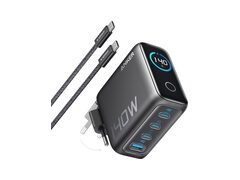
In practice: a USB-C charger rated at 65 W that delivers its peak power at 20 V supplies roughly 3.25 A (65 ÷ 20). A 100 W charger often also sits at 20 V, but then pushes close to 5 A. Since the arrival of USB Power Delivery (USB PD), a charger can even reach 48 V to hit 240 W without exceeding 5 A.
Why a 65 W Charger Does Not Always Charge Faster Than a 45 W One
A more powerful charger does not guarantee a faster charge, for three reasons that have nothing to do with the watt figure itself.
- The cable limits the current. A standard USB-C cable is rated for 3 A up to 20 V, so 60 W maximum. Beyond that, you need a cable certified for Extended Power Range, or EPR (5 A, up to 240 W): plugging a 100 W charger in with a cheap cable caps it at 60 W or less, with no error message at all.
- The device negotiates its own limit. The charger and the device talk to each other the moment they connect, agreeing on a shared voltage and current: a phone designed for 25 W will never draw more than 25 W, even plugged into a 140 W charger.
- The port matters too. On a multi-port charger, the advertised total power is shared across the ports in use; plugging in a second device often reduces the power available to each.
The upshot: a well-matched 45 W charger, with a proper cable and a compatible device, can charge just as fast, or even faster, than a 65 W one let down by a cheap cable. For more on charging protocols, see our guide to USB-C PD, PPS and Quick Charge, and to pick the right charger, head to the chargers section.
Watts or Watt-Hours: The Mix-Up That Costs the Most
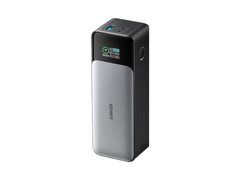
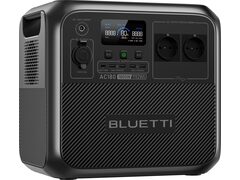
This is the most common mix-up, and the one that hurts most when choosing a battery: the watt measures an instantaneous rate, the watt-hour measures a quantity. A 300 Wh power station powering a 60 W device will last around 5 hours (300 ÷ 60) at perfect efficiency; in practice, conversion losses eat up 10 to 20% of that runtime. A larger Wh rating says nothing about the maximum power a battery can deliver at once: some small power banks advertise a comfortable capacity but cap their output at just 18 or 20 W.
| Typical use | Typical power draw | To run for 2 hours, you need roughly |
|---|---|---|
| Charging a smartphone | 5-30 W | 10-60 Wh |
| Charging a laptop | 45-100 W | 90-200 Wh |
| Running a camping mini-fridge | 40-60 W | 80-120 Wh |
| Powering a home router and modem | 15-25 W | 30-50 Wh |
To work out precisely how many mAh or Wh a given device needs, our guide on how many mAh you need to recharge your devices walks through the calculation, and power station Wh: what the advertised capacity really means explains why the advertised capacity is never the one you actually get to use.
How to Read a Product Spec Sheet Without Getting It Wrong
On every Best Batteries product page, three numbers are enough to get a reliable picture in seconds:
- Output power (W): what the device can deliver at its peak, at a given instant (e.g. a power station outputting 1,000 W continuous).
- Capacity (Wh or mAh): the total energy reserve. To compare two batteries at different voltages, converting to Wh (mAh × volts ÷ 1,000) is far more accurate than a raw mAh comparison, which ignores voltage entirely.
- Maximum rated current (A) of a cable, port or fuse: beyond that figure, an undersized cable can genuinely overheat, not just in theory.
Our guide on what advertised mAh figures are really worth explains why the capacity printed on the box is almost always higher than what you can actually use.
The Most Common Pitfalls to Watch For
- Peak watts vs continuous watts: a station advertised as "1,800 W, 3,600 W peak" sustains 1,800 W continuously, not 3,600 W. Always check which of the two figures a comparison is actually quoting.
- mAh is not comparable across different voltages: 20,000 mAh at 3.7 V (internal cell) is not the same as 20,000 mAh at 5 V (USB output); energy measured in Wh is what allows a fair comparison.
- A charger more powerful than needed will not damage the device: USB PD negotiation protects the device, which never draws more than it asks for. The real risk comes from an uncertified cable or charger that does not properly follow the protocol.
- A clamp meter measures current, not power: without the matching voltage, a current reading alone tells you nothing about the actual power being drawn.