
What exactly is a GaN charger?
GaN stands for gallium nitride, a semiconductor that replaces silicon in the charger’s power transistors. This is not one more marketing badge: it is a change of material, and it has very tangible consequences for the brick sitting on your desk.
Gallium nitride has a band gap of roughly 3.4 eV, against 1.1 eV for silicon. In plain terms, it withstands higher voltages and it switches far faster: a few hundred kilohertz where silicon tops out at a few tens. And the faster a converter switches, the smaller its transformer and capacitors can be. That is the whole explanation for the size: at equal power, a GaN charger takes up about half the volume of a previous-generation silicon brick.
The second consequence is less visible but just as useful: losses drop, and so does heat. A charger that runs cooler can be packed into a denser enclosure safely, and it wastes less energy. That matters in Europe, where Regulation (EU) 2019/1782 has required, since 1 April 2020, that every external power supply sold in the Union reach an average active efficiency of at least 88 % above 49 W of output power, with no-load consumption capped at 0.21 W. GaN clears those thresholds with room to spare, where silicon was scraping the limit.
After ten years selling and taking apart these products, we have watched GaN go from premium novelty to default. On our chargers shelf today, a silicon model above 60 W no longer has much reason to exist.
The multi-port trap: total power is not power per port
This is what most buyers discover after the fact, and it is the real reason for this comparison. When a box says 100 W, that figure is the total the charger can deliver across all ports combined. It absolutely does not mean each port delivers 100 W.
In practice, a multi-port charger applies a splitting rule fixed by the manufacturer. Here is what a typical 100 W three-port model does, depending on how many devices are connected:
The laptop that was getting 100 W on its own now receives 45 W once the phone and the earbuds are connected. If it draws 50 W doing office work, it slowly discharges despite being plugged in. That is exactly the scenario that makes people think their charger has failed.
The right method: identify your hungriest device, look up the power the manufacturer quotes for your combination of ports (it is always in the manual or the spec sheet, rarely on the box), and allow at least 20 % of headroom. A 65 W ultrabook is comfortable on a charger that holds 65 W on its main port with a second device attached, not on a 65 W total.
Our pick of six multi-port GaN chargers
Six models, from pocket brick to desk station, chosen on the criteria that actually matter: real power on the main port, behaviour in multi-port use, bulk and heat.
| Model | Ports | Max power | On a single port | Typical price | Best for |
|---|---|---|---|---|---|
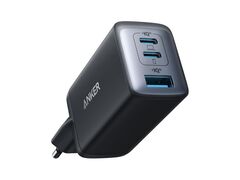
| Anker Nano II 65 W | 2 USB-C + 1 USB-A | 65 W | 65 W | ~€30 | The sensible entry point |
| Ugreen Nexode Pro 65 W Slim | 2 USB-C + 1 USB-A | 65 W | 65 W | ~€39 | Travelling light |
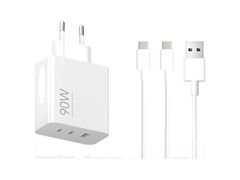
| Xiaomi 90 W HyperCharge | 2 USB-C + 1 USB-A | 90 W | 90 W | ~€40 | Best watts per euro |
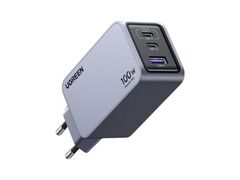
| Ugreen Nexode Pro 100 W | 2 USB-C + 1 USB-A | 100 W | 100 W | ~€66 | Laptop plus phone, every day |
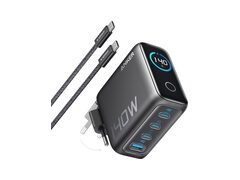
| Anker GaN 140 W | 3 USB-C + 1 USB-A | 140 W | 140 W | ~€80 | Large laptops |
| Anker Prime Station 250 W | 6 ports (USB-C + USB-A) | 250 W | 140 W | ~€143 | A fixed desk setup |
Anker Nano II 65 W: the entry point
Three ports, 65 W, and an enclosure claimed to be 53 % more compact than the previous-generation brick of the same rating. This is the charger we recommend to anyone who has never owned a GaN unit: it replaces the laptop charger, the phone charger and the tablet charger for around €30. Its 65 W is enough for a MacBook Air, a Windows ultrabook and virtually every 13 to 14 inch laptop.
Ugreen Nexode Pro 65 W Slim: the traveller
Same power, but a flat profile that slips into a laptop sleeve instead of making a lump in the bag. It ships with interchangeable US, UK and EU pins: if you regularly travel outside Europe, that is one adapter fewer to lose. Our choice for mobile use under €40.
Xiaomi 90 W HyperCharge: best watts per euro
90 W on a single port, two USB-C, one USB-A, 132 g on the scales and a price hovering around €40: in this selection it is the model that delivers the most watts per euro. On two ports it splits 67 W + 18 W, which lets a laptop charge properly while a phone fills up alongside. Our all-rounder.
Ugreen Nexode Pro 100 W: the do-everything option
100 W is the real comfort threshold: beyond it you gain little except on large laptops. This Nexode Pro covers the full useful voltage range (5 V, 9 V, 12 V, 15 V and 20 V), so anything that charges over USB-C, 14 inch MacBook Pro included. It is the one we would keep if only one could stay.
Anker GaN 140 W: for large laptops
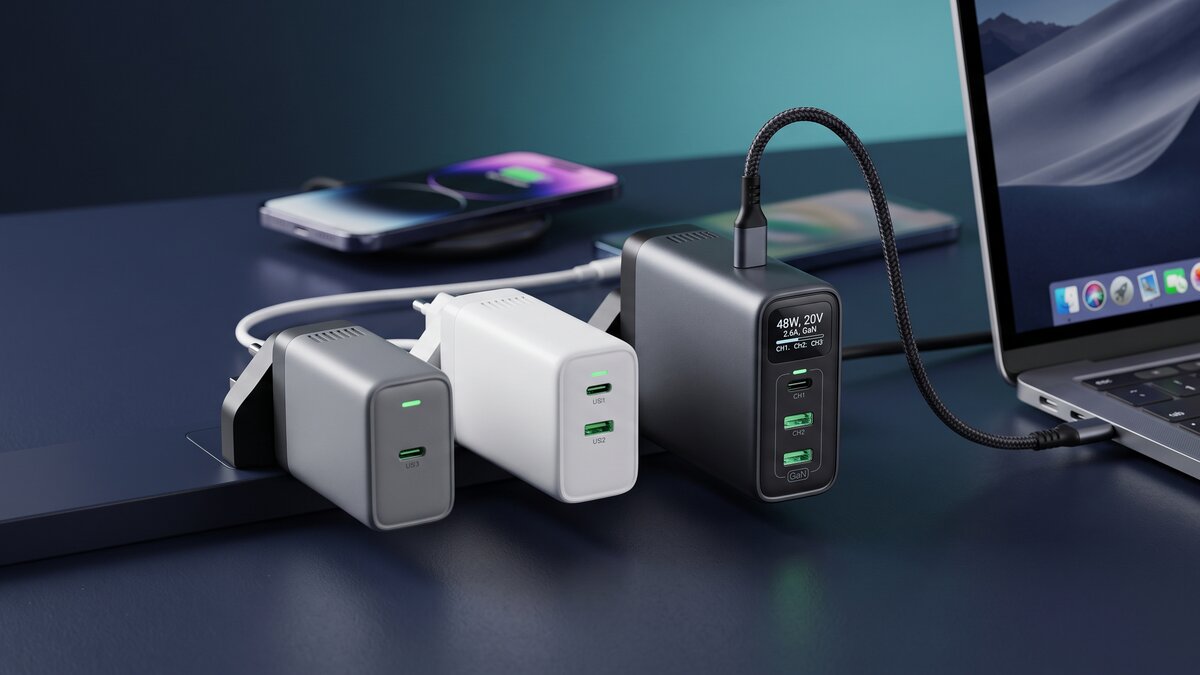
Four ports and 140 W, which is the top tier of the USB Power Delivery 3.1 standard. That is what a 16 inch MacBook Pro needs to charge at its rated speed, and what mobile workstations expect. Its display shows the power going to each port in real time, which on a multi-port unit is no gimmick: it is the only way to check the split at a glance.
Anker Prime Station 250 W: the desk setup
250 W, six ports, a 2.26 inch LCD screen and a control dial. This is no longer a bag charger, it is a desktop power block that replaces the daisy-chained extension lead: two laptops, two phones, a tablet and a watch at the same time, without anyone being throttled. Reserve it for people who genuinely charge four to six devices daily; below that, 140 W is plenty.
The five criteria that really matter
Once the total-power trap is out of the way, this is what we look at, in this order.
- Power on the main port in multi-port use. The only figure that describes your real day. A 100 W that drops to 45 W as soon as a second device appears is less useful than a 90 W that holds 67 W.
- Number and type of ports. Aim for at least two USB-C. USB-A is still handy for older cables and accessories (lamps, fans, keyboards), but in practice it tops out around 22.5 W and is useless for a laptop.
- PPS. Programmable Power Supply is a USB Power Delivery extension that lets voltage be tuned in 20 mV steps. It is what unlocks the proprietary fast charging of many Android phones, Samsung Galaxy first among them. A charger without PPS will still charge your phone, just noticeably slower than its original brick.
- Format and pins. Folding prongs for the bag, interchangeable US/UK/EU pins for travel. A detail that never shows up on a spec sheet and changes everything in use.
- The display. Worth having from three ports upwards to check the split, superfluous below. Do not pay €20 extra for a screen if you only ever plug in two devices.
A word on cables, since they are the number one cause of disappointment: above 100 W you need a cable certified for 240 W (the EPR standard, for Extended Power Range). A 60 W cable silently throttles a 140 W charger, with no error message at all. The USB Power Delivery specification is built that way: the weakest link always sets the power of the chain.
Safety: how to spot a dubious charger
A charger is the device in your home that handles mains voltage directly. It is also one of the most counterfeited. A few simple reflexes are enough to rule out the worst.
- Read the printing. A compliant charger carries the CE mark, the name and address of the manufacturer or European importer, and the output voltages and currents detailed port by port. A vague label with no address is a red flag.
- Weigh it in your hand. A GaN unit is lighter than a silicon brick, that is normal, but a 65 W that weighs 40 g physically has no room for the isolation required between primary and secondary.
- Be wary of the price. A genuine three-port 100 W GaN charger costs at least around €40. At €12, something has been removed, and that something is almost always the isolation or the surge protection.
- Check the quoted efficiency. Since 2020, European compliance on the ecodesign of external power supplies has been mandatory. A serious manufacturer publishes its figures; a counterfeiter never does.
Finally, a GaN charger that feels warm to the touch is not necessarily faulty: it is working. A smell of hot plastic, a persistent buzzing or a deforming enclosure, on the other hand, mean unplug it immediately and dispose of it.
GaN charger or power bank: which one do you need?
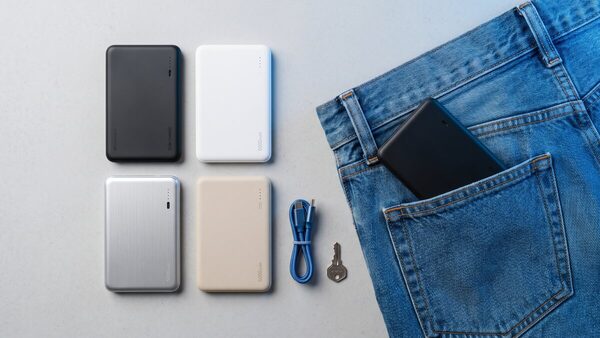
The question comes up constantly, and the answer is that they do not solve the same problem. A GaN charger needs a socket: it serves you at the hotel, at the office, on a wired train, at home. A power bank stores the energy and follows you anywhere, but it too eventually needs a charger to refill.
The genuine pairing, the one we carry ourselves, is a 65 to 100 W multi-port GaN charger plus a power bank able to accept that much power on its input. The charger refills the bank in an hour and a half instead of five, and powers your devices alongside. Our comparison of 100 W and above power banks covers the models that keep up.
Worth remembering, too: since late 2024 the European common charger directive has required USB-C on virtually every portable device sold in the Union, and allows manufacturers to leave the wall brick out of the box. In practice your next phone will arrive without a charger, so the one you buy once had better be the right one.