
200 W, two ports at 100 W: what it actually delivers
That is the selling point: two USB-C ports at 100 W each, to charge two laptops at full speed at the same time. The reality comes down to three figures, not one.
At best, the two ports give 91.47 W on one and 80.44 W on the other, for 172 W combined. Close to the promise, without reaching it. But with two real laptops plugged in together, the combined total obtained regularly settles around 100 W, not 100 W on each port. And in one specific case, with the same two laptops: 30 W on each port, 60 W in total.
These three figures do not contradict each other, they describe different situations. The first shows what the battery can technically supply. The other two show what a real laptop actually asks for, and how the negotiation between the device and the battery plays out. That is where it gets stuck: USB Power Delivery negotiation sometimes fails, and the cable has to be unplugged and plugged back in to restart it.
This negotiation, invisible to the user, plays out in a few milliseconds at the moment of plugging in: the device and the battery exchange a list of compatible voltages and currents, then settle on a single level. With two ports active, each one runs its own negotiation, and nothing guarantees that both reach the maximum level at the same time. The result depends on the device plugged in almost as much as on the battery itself: a laptop that negotiates poorly, or that asks for less than its theoretical maximum because its own battery is already well charged, will change the final figure with nothing flashing to warn the user.
What happens with a third device plugged in?
Adding the USB-A port to the equation does not share the power evenly across the three outputs. Going from two to three active ports gives 91.57 W on the first USB-C port, almost unchanged, but 55.31 W on the second, a drop of around 31 %. The USB-A port, for its part, gets only 17.27 W.
The first USB-C port plugged in therefore keeps priority, and it is the second one that absorbs the drop as overall demand increases. For this type of product, the manufacturer's own table sets a declining power split across three devices rather than an equal share: the third output gets only a fraction of what the first two receive.
What the 72 Wh really give back
The 72 Wh claimed come from a calculation, 20,000 mAh at 3.6 volts, not from an independent laboratory measurement. It is the standard conversion for this type of cell, and it is arithmetically consistent, unlike some listings on the market that inflate the figure by presenting the milliamp-hours as though the whole battery ran at the voltage of a single cell.
Across this range, efficiency stays stable and respectable, without much variation depending on the power drawn. That is a notable point: unlike other devices in this category, the return does not collapse on small loads. A phone charging at 15 W therefore does not cost proportionally more in lost energy than a laptop charging at 45 W, which is not a given on every power bank of this format.
One difference deserves to be pointed out against the conversion printed on the case. The 20,000 mAh engraved on it correspond to the cell capacity at its own nominal voltage, not to what actually comes out of the USB-C port once the electronic conversion has taken place. Converted into equivalent output milliamp-hours, the 58.7 to 62.5 Wh returned amount to somewhere between 16,300 and 17,350 mAh at 3.6 V. The gap with the figure on the case is not a false claim, it is the difference between a cell capacity and delivered energy, a distinction that few product listings bother to explain.
At 100 W, the battery protects itself before it is done
It is at full power that the behaviour changes in nature. Pushed to 100 W on a single port, the battery delivered 53.53 Wh in 33 minutes, before cutting out. The screen still showed 6 % of charge left at the moment it stopped.
This behaviour is consistent: after twenty to forty minutes at full power on a single port, the thermal cutoff kicks in, even in a cool room. No option allows the power to be capped manually to avoid it.
A useful screen, but one that can show the impossible
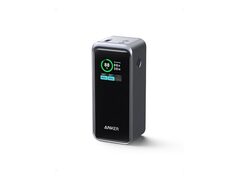
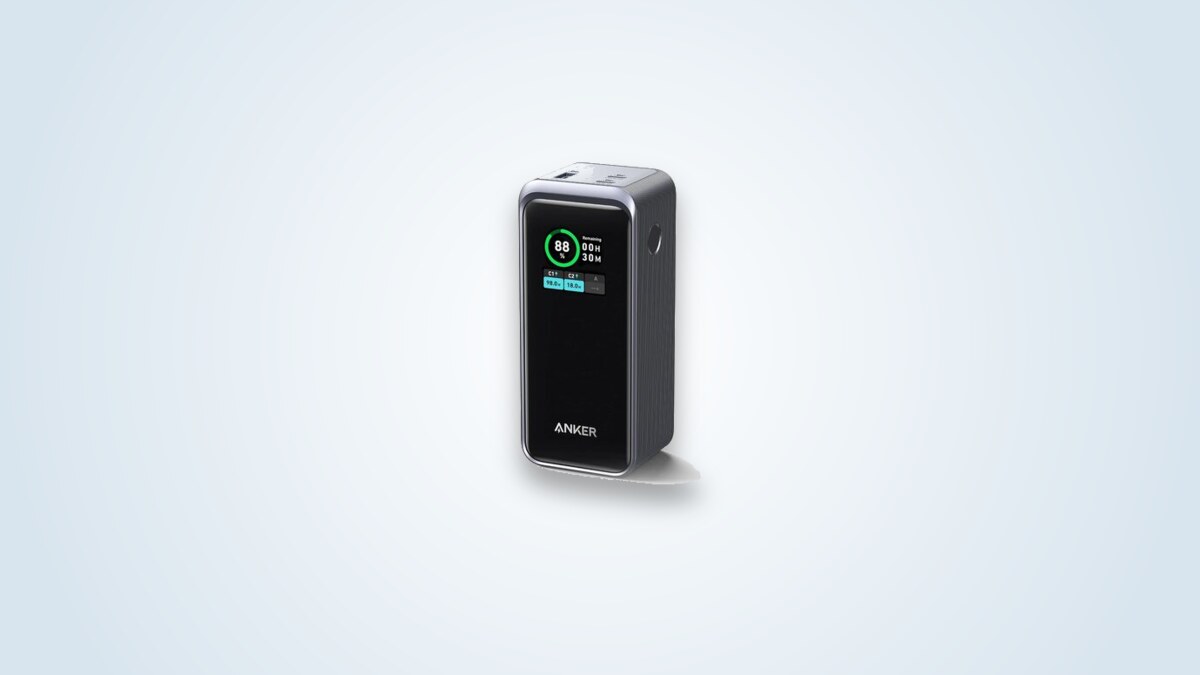
The colour screen is the real differentiator of this range: percentage, wattage per port, estimated time remaining, and even battery health as a cycle count. Nothing comparable exists on most competing models.
Its accuracy, however, has known limits. The wattage shown can differ from the actual figure by 5 to 10 %. That is the error margin of a convenient indicator, not of a measuring tool.
The cycle counter and battery health indicator deserve the same caution: the values shown after a few months of partial use look optimistic next to the actual use they are supposed to reflect. It is not a reliable diagnostic tool, at most a rough indication.
How hot does it really get?
Pushing 100 W through a case of this size inevitably gives off heat. The figures available spread out quite widely, and the reason likely lies in exactly where on the case the figure is taken rather than in any real contradiction.
The lowest figure comes from an internal sensor, which does not necessarily reflect the hottest point on the case. The highest figure targets precisely that hot point, the metal connector of the port under load. These are probably two different quantities, not two contradictory figures for the same thing.
What matters more than the exact figure is that the cutoff seen above on the 100 W discharge is not an isolated case: the same protection pattern shows up on charging too, at full power on a single port, even in a cool room. No setting allows the power to be capped manually to avoid it, unlike what exists on some larger power stations.
Protocols for almost everything, a cable included
Charging compatibility is broad: Power Delivery 3.0 and PPS on the USB-C side, with Quick Charge 3.0, FCP, SCP, AFC and UFCS on top. The USB-A port adds SuperVOOC compatibility, useful for smartphones from certain Chinese brands that do not follow the standard PD protocols. A USB-C cable is included in the box, which is not a given at this price point.
The screen also shows a cycle counter and a battery "health" percentage. This estimate deserves to be treated with caution: the values seen after several months of partial use look optimistic next to the actual use they are supposed to reflect. It is a convenience indicator, not a diagnostic tool to rely on for assessing the real state of the cells.
1 h 15 announced, 1 h 19 by cable
Unlike other promises on this spec sheet, this one is almost kept. Fully recharging the battery itself, announced at 1 h 15 at 100 W, takes 1 h 19 by cable and 1 h 23 through the optional magnetic dock.
The curve is consistent with what this chemistry is expected to do: a fast climb at the start, a plateau around 47 W in the middle of the charge, then a gradual slowdown at the end of the cycle to protect the cells.
200 W, 220 W, 250 W, 300 W: four power banks that look alike
Anker offers its "Prime Power Bank 20K" lineup in several versions whose names are easy to confuse, and the confusion is not theoretical: material published online about this exact model actually describes the specifications of the neighbouring 220 W version, weight and per-port power included.
| Criterion | 200 W (this one) | 220 W | 300 W |
|---|---|---|---|
| Capacity | 20,000 mAh, 72 Wh | 20,100 mAh, ≈72 Wh | 26,250 mAh, ≈100 Wh |
| USB-C | 100 W per port | 140 W on one port, variable on the other | 140 W per port |
| USB-A | 65 W | 22.5 W | 22.5 W |
| Weight | 545 g | 510 g | 600 g |
A curious detail specific to this model: it is the only one of the four with its USB-A port reaching 65 W, a high figure for this type of connector, while the more recent versions cap it at 22.5 W. The 220, 250 and 300 W models make up for it with more powerful USB-C ports and a more developed control app.
So check the exact reference before buying, whether it appears on the box or in the product page URL: A1336 for the 200 W version described here.
The price seen for this same reference varies noticeably from one market to another: around 100 € in France and Italy, noticeably less in Germany where several resellers drop under 90 €, sometimes even under 75 €. Comparing listed prices against the official rate rather than the first link found remains the most worthwhile habit for this product.
72 Wh, under the cabin limit, but watch the shortcut
With 72 Wh declared, this battery stays under the 100 Wh threshold set by civil aviation for cabin boarding without prior airline authorisation. That is a real advantage for anyone who travels often.
The real flaw is not the power, it is the negotiation
The clearest weak point is not an insufficient power figure, it is the reliability of the charge negotiation itself. Across repeated sessions with real laptops, the negotiation sometimes fails: the cable has to be unplugged and plugged back in to restart it, with one port staying inactive while the other works. This flaw is not unique to this model: it comes up on other Anker products in the same family.
The magnetic charging dock sold as an option raises questions about its reliability, even after a warranty replacement. It is an accessory, not the battery itself, but the information deserves to be known before adding that option to the trolley.
No official recall targets this specific model. Anker has recalled several references in recent years, but none of them match this one. No battery-swelling reports specific to this model exist either.
Against the other Anker power banks on this site
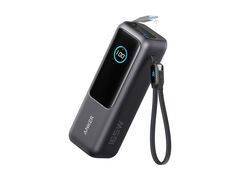
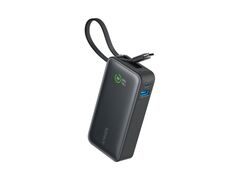
This Prime 20000 rounds out an Anker lineup already well covered on this site. Against the Nano 30 W, smaller and lighter, it targets a different use: charging a demanding laptop rather than a phone day to day. Against the A1695 165 W, it offers less raw power through its built-in cable but a far more complete screen and two detachable ports rather than a fixed cable.
The choice comes down to use. For a phone and small devices, the Nano is more than enough and weighs a fraction as much. For a single laptop to charge fast, the A1695 does just as well for less. The Prime 20000 is mainly worth it for anyone who really wants to charge two power-hungry devices at once, while knowing the real limits of that promise.
Who it suits, and who it does not
It suits anyone who wants to follow what their battery is doing in real time through the screen, anyone who charges a single laptop at high power occasionally, and anyone who often flies with a single battery under the cabin limit.
It does not suit anyone counting on the announced 100+100 W to permanently charge two laptops at full speed: in practice, that is rarely the case. Nor anyone looking for a pocket battery: at 545 g, it lives in a bag, not a jacket pocket.